Step 2: Set Breeding Goals & Index
Set Breeding Goals & Index is the second step of the planning process and allows you to generate a custom index to establish priorities and goals for the next generation of animals in the herd. Breeding goals in GENEX DairySuite are based on industry-standard indexes, which assign weights to three major categories: Production, Health, and Conformation.
 See a complete list of Production, Health, and Conformation traits here!
|
Production Traits |
Health Traits |
Conformation Traits |
|---|---|---|
|
Milk (Lbs) |
Productive Life (Months) |
Udder Composite (UDC) |
|
Fat (Lbs) |
Daughter Pregnancy Rate |
Feet and Legs Composite (FLC) |
|
Protein (Lbs) |
Somatic Cells |
Body Weight Composite (BC)
|
|
Sire Calving Ease |
||
|
Daughter Calving Ease |
||
|
Sire Stillbirth |
||
|
Daughter Stillbirth |
||
|
Cows Conception Rate |
||
|
Heifers Conception Rate |
||
|
Livability |
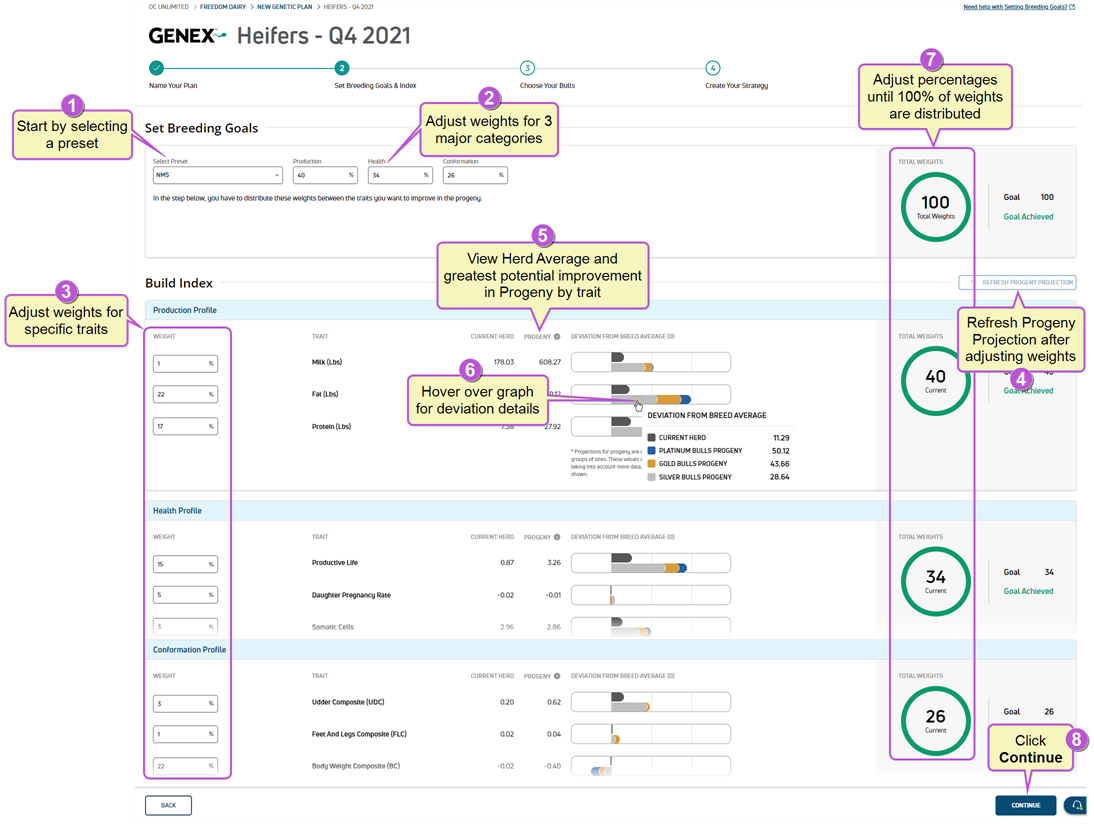
Follow the steps below to set the plan goals and index:
|
1
|
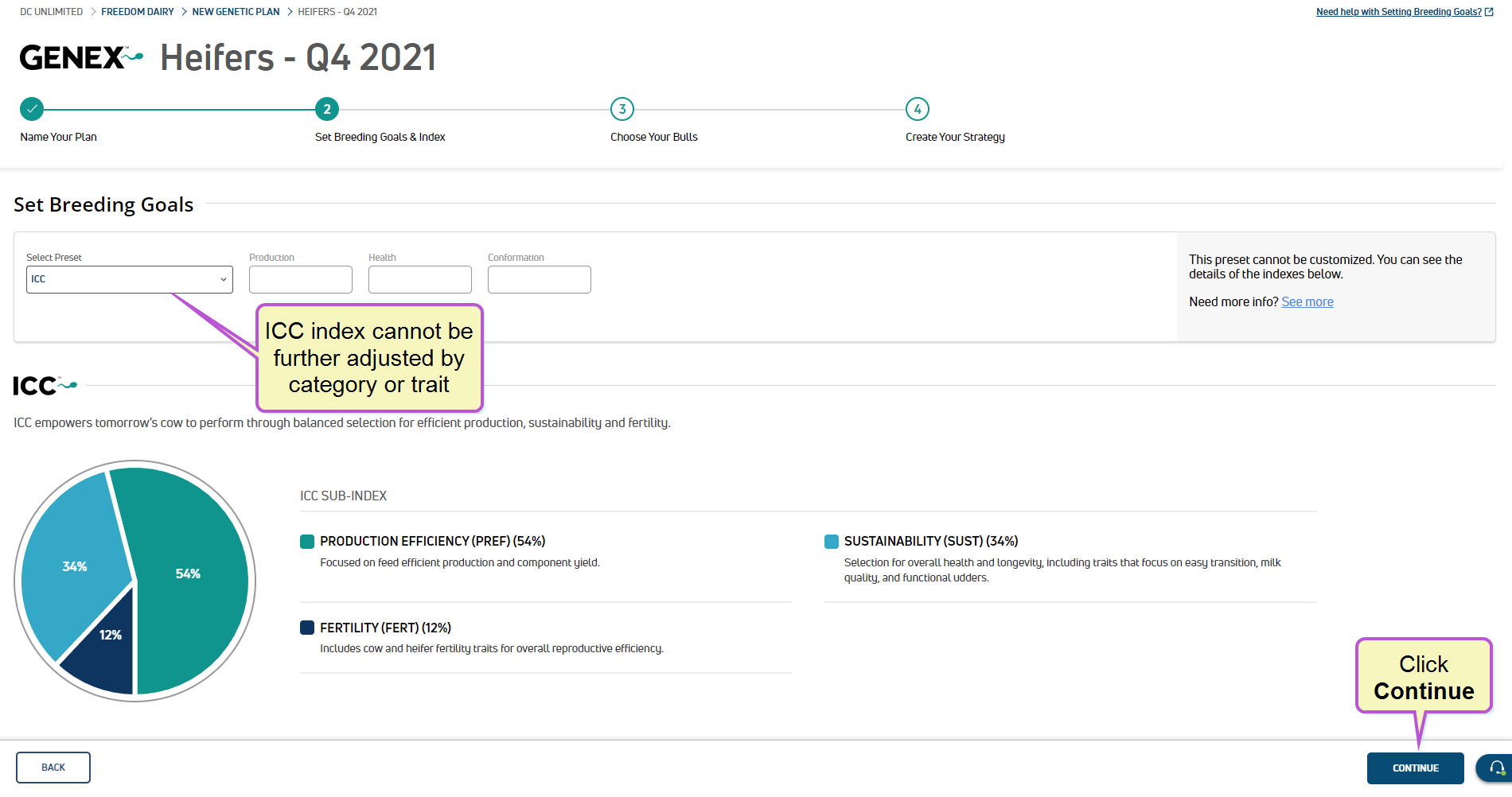
Based on your conversations with the dairy, start with a Preset index. If you select an index other than ICC, you can make additional adjustments to specific traits to customize the index. ICC is a custom GENEX DairySuite index and cannot be further adjusted. If you select ICC, click Continue to proceed:
Preset Index Options
GENEX DairySuite offers four preset indexes:
NOTE: GENEX's indexes are reevaluated and adjusted based on current economic trends and industry-standards. As industry indexes are updated, DairySuite's presets will likely be adjusted as well.
|
|
2
|
If applicable, make additional adjustments to the major categories, Production, Health, and Conformation, making sure the weights add up to 100%. |
|
3
|
Adjust specific traits in each profile to meet the plan goals. For example, you may choose to increase the Weight of the Fat trait in the Production Profile. |
|
4
|
Click Refresh Progeny Projection to update the projected values. |
|
5
|
View the Current Herd average and Progeny projections for each trait. How is this value calculated?
|
|
6
|
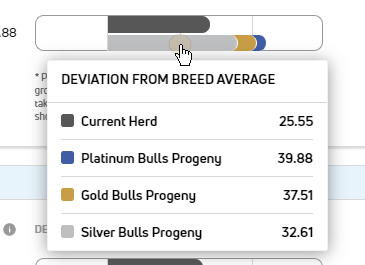
Hover over the graph for deviation from breed average data details:
How is this data calculated?
Each trait has an average value based on the herd breed. The potential improvement (or deviation) to each trait value is calculated and shown for each of the bull tiers: Silver, Gold, Platinum. |
|
7
|
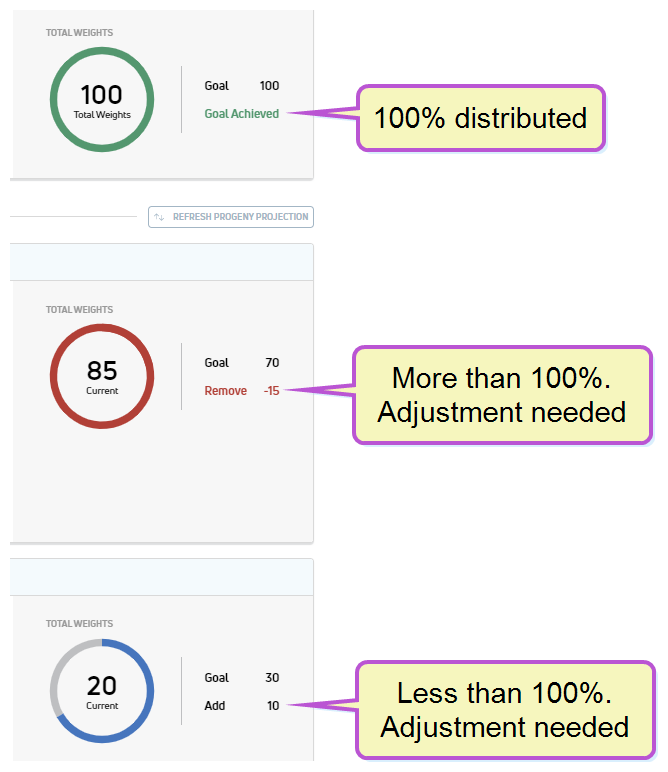
Review all weights and verify that the overall and Profile totals are 100% distributed. The Total Weights indicator changes color and calculates any adjustments needed:
NOTE: If the weights are not distributed 100%, the Continue button becomes grayed out and inactive until the weights are adjusted correctly.
|
|
8
|
Click Continue to proceed to Step 3: Choose Your Bulls. |
Last Built: February 04, 2022